Key Takeaways
- The broker determines pricing, execution quality, and regulation; the platform is only the interface, so choose broker first and platform second.
- For MENA traders, two checks sit above features: whether the account can be run swap-free to avoid overnight interest, and whether the broker holds a licence you recognise (SCA, DFSA, FSRA, CMA, or a major international regulator).
- MT4 remains the default for forex-only manual traders and MQL4 Expert Advisors: light, stable, near-universally supported, but modest at ~30 indicators and 9 timeframes.
- MT5 is the upgrade path for multi-asset and algorithmic traders, adding 38 indicators, 21 timeframes, depth of market, and multi-threaded backtesting, at the cost of MQL4 incompatibility.
- cTrader suits ECN and execution-focused traders with Level II pricing and C# automation, though broker support is limited.
- TradingView is an analysis tool rather than a trading terminal; most users pair it with MT4 or MT5 for order execution.
- Judge a platform on execution speed, charting depth, order types, automation language, device sync, and security, not on feature counts alone.
- Platform software is free through brokers; real costs sit in spreads and commissions, which vary by account type.
- Test any platform on a demo account first, since interface familiarity translates directly into faster, cleaner fills.
- MetaTrader 4 and MetaTrader 5 both ship with Arabic-language interfaces and are the platforms most commonly offered swap-free by regional brokers, which is why they dominate MENA retail trading.
What Is a Forex Trading Platform?
A trading platform performs four jobs: price display (live bid/ask quotes streamed from the broker’s liquidity feed), analysis (charts, timeframes, indicators, drawing tools), execution (market, limit, stop, and trailing orders routed to the broker’s server), and account management (balance, equity, margin, and trade history). One detail worth noting early: most platform servers run on a GMT+2 or GMT+3 “broker time”, not on local time, so the daily candle on your chart will not close at midnight in Dubai, Riyadh, or Cairo. Check your server offset before setting session-based strategies, and remember the market closes Friday evening and reopens Monday morning GST, which cuts across the Gulf working week.
Platforms come in three delivery formats, and most modern platforms offer all three:
- Desktop: installed software with the full feature set, preferred for automation and heavy charting.
- Web: runs in a browser with no installation, convenient but usually lighter on features.
- Mobile: iOS and Android apps for monitoring and managing positions away from the desk.
Types of Forex Trading Platforms
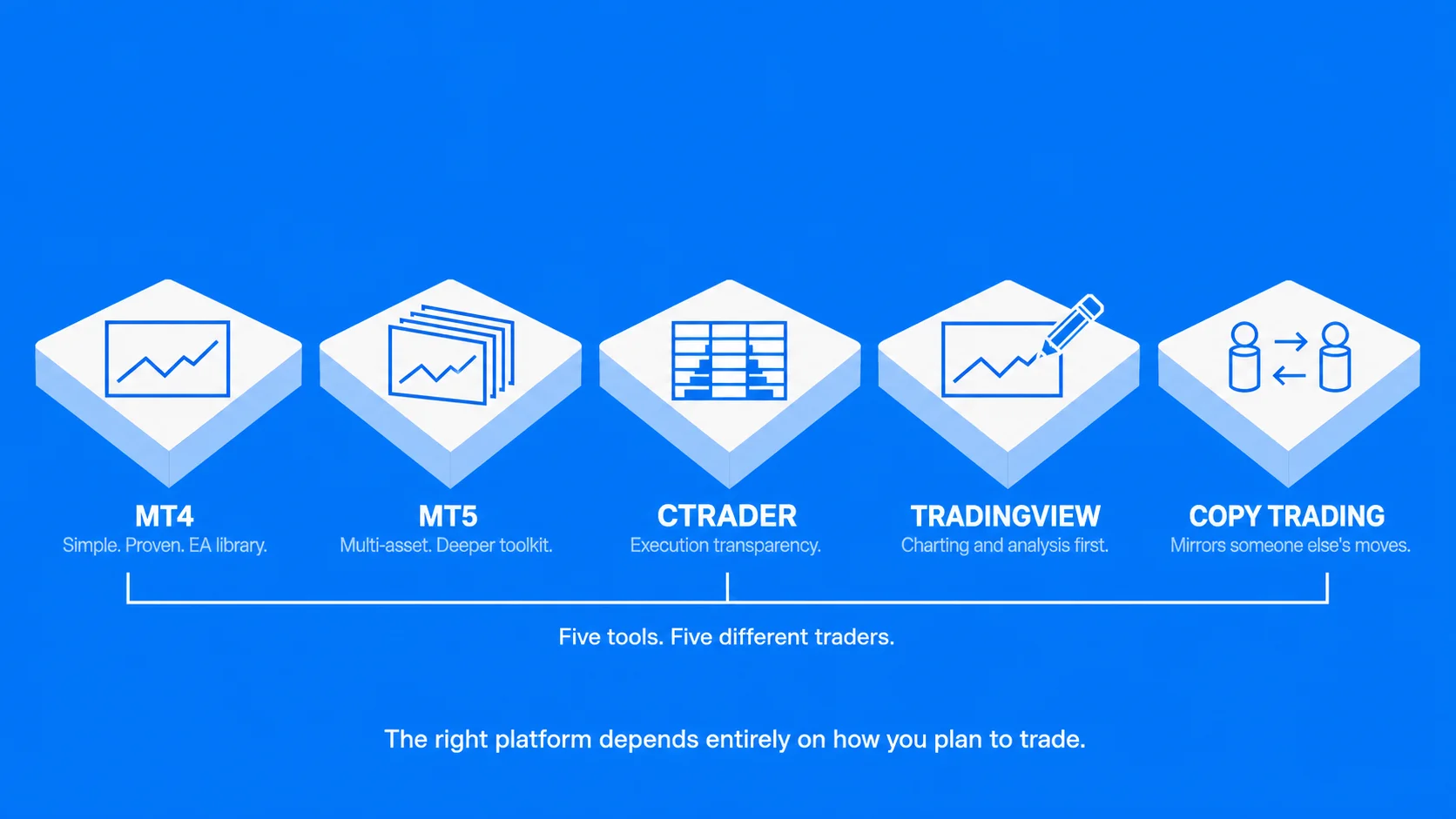
MetaTrader 4 (MT4)
Released by MetaQuotes in 2005, MT4 is still the most widely used retail forex platform. Its strengths are simplicity, stability, and an enormous ecosystem: thousands of custom indicators and Expert Advisors (EAs), automated strategies written in the MQL4 language, plus a large community producing tutorials and tools.
The spec sheet is modest by modern standards: around 30 built-in indicators, 9 timeframes, and 3 chart types. MT4 was built for forex and CFDs specifically, and its lightweight single-threaded design keeps it responsive on older machines, one reason scalpers and EA users stay on it.
For traders in the region, MT4 is also the platform most likely to be offered swap-free by MENA-facing brokers, and its interface, including the mobile apps, is available in Arabic.
Best for: forex-focused traders, EA users with MQL4 libraries, traders who need a swap-free account, anyone who values simplicity.
MetaTrader 5 (MT5)
MT5 (2010) is MetaQuotes’ successor to MT4, built for multi-asset trading: forex plus stock, index, and commodity CFDs from one terminal. It expands the toolkit to 38 built-in indicators, 21 timeframes, more pending order types, depth of market, an integrated economic calendar, and a faster multi-threaded strategy tester for backtesting.
Automation runs on MQL5, an object-oriented language closer to C++. The catch: MQL4 EAs do not run on MT5 without conversion, which is the main reason the older platform never fully retired.
MT5 also carries an Arabic interface and an economic calendar, though note the calendar is weighted towards US, European, and Asian releases; regional data such as Saudi and UAE PMI or GCC central bank decisions usually needs a separate source.
Best for: multi-asset traders, algorithmic traders building new strategies, anyone wanting more timeframes and better backtesting.
cTrader
cTrader (Spotware, 2011) is the main alternative to MetaTrader. It offers a modern interface, 70+ built-in indicators, 28 timeframes, Level II depth-of-market pricing, and detachable charts. Automation runs on C# through cTrader Automate. It is popular with ECN traders who want execution transparency, but fewer brokers support it and its indicator ecosystem is smaller than MetaTrader’s.
Best for: ECN traders, traders who prioritise interface design and market-depth visibility.
TradingView
TradingView is primarily a charting and analysis platform, with 100+ indicators, the strongest drawing tools in the industry, custom scripting via Pine Script, and a large social community for shared trade ideas. Order execution is only possible through integrated brokers, so many traders run a dual setup: TradingView for analysis, MT4 or MT5 for execution.
Best for: chart-first traders, idea research, multi-monitor analysis workflows.
Proprietary Broker Platforms
Many brokers build their own web and mobile platforms. These are typically the easiest to start with, tightly integrated with the broker’s account tools, and require no installation. The trade-offs are limited third-party automation and no portability: your tools stay behind if you change brokers.
Best for: beginners, casual traders, traders who want everything in one browser tab.
Copy Trading Platforms
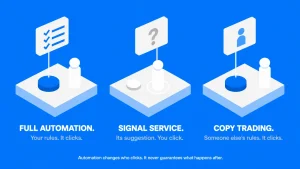
Copy trading platforms mirror the positions of a signal provider into your account automatically. They can run as standalone services or as a layer on top of MT4/MT5. They suit passive investors, with the usual caveat: provider fees and provider risk replace your own trading effort, so audit a provider’s track record before allocating funds.
Forex Trading Platforms Compared
| MT4 | MT5 | cTrader | TradingView | |
| Released | 2005 | 2010 | 2011 | 2011 |
| Asset focus | Forex, CFDs | Multi-asset | Forex, CFDs, indices | Charting all assets, execution via brokers |
| Built-in indicators | ~30 | ~38 | 70+ | 100+ |
| Timeframes | 9 | 21 | 28 | Custom |
| Automation language | MQL4 | MQL5 | C# | Pine Script (alerts/strategies) |
| Depth of market | No | Yes | Yes (Level II) | Broker-dependent |
| Backtesting | Single-threaded | Multi-threaded, multi-currency | Built-in | Strategy tester (Pine) |
| Broker availability | Near-universal | Very wide | Limited | Integrated brokers only |
| Cost | Free via broker | Free via broker | Free via broker | Free tier, paid plans for full features |
| Arabic interface | Yes | Yes | Yes | Partial |
| Swap-free availability | Widely offered by MENA brokers | Widely offered by MENA brokers | Broker-dependent | Not applicable (analysis only) |
Key Features to Evaluate in a Trading Platform
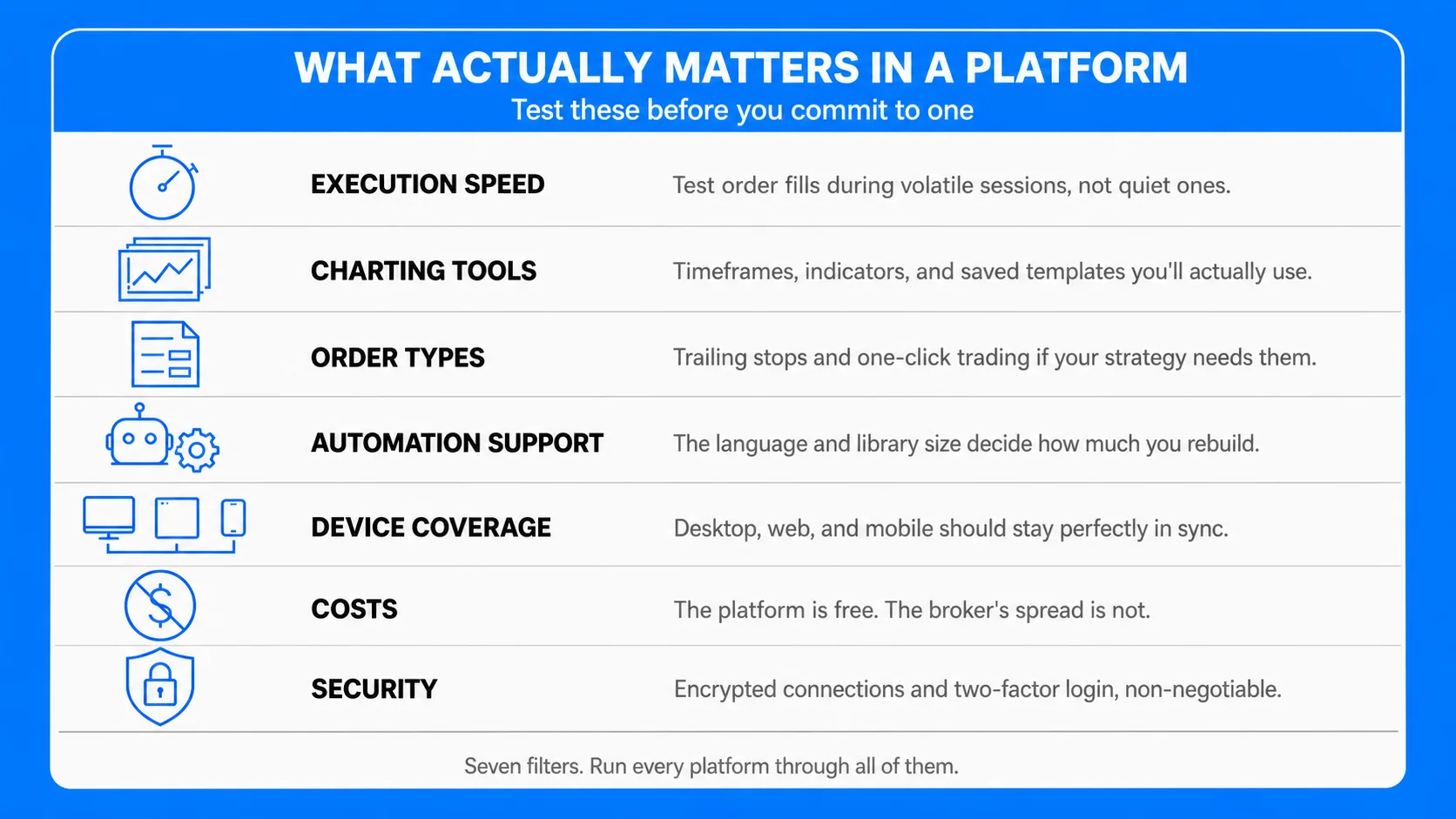
Execution speed and stability. Latency between clicking and filling costs real money for short-term strategies. Test order speed on a demo during volatile sessions, not quiet ones.
Charting and analysis tools. Count what you will actually use: timeframes, indicator library, drawing tools, and whether you can save templates and layouts.
Order types. Market, limit, and stop orders are universal; check for trailing stops, stop-limit orders, and one-click trading if your strategy needs them.
Automation support. If you plan to run or build EAs, the platform’s language and community library size decide how much you can reuse versus build from scratch.
Device coverage. Confirm the desktop, web, and mobile versions stay in sync, and that the mobile app supports the order types you rely on.
Costs. MT4, MT5, and cTrader are free through brokers; the real costs sit in the broker’s spreads and commissions, which vary by account type, not by platform.
Security and regulation. The platform should use encrypted connections and two-factor login where offered, and the broker behind it should hold a licence you can verify: the SCA in the UAE, the DFSA in the DIFC, the FSRA in ADGM, the CMA in Saudi Arabia, the CMA in Kuwait, or a major international regulator such as the FCA, CySEC, or ASIC. Check the licence number on the regulator’s own register, not on the broker’s website.
Swap-free (Islamic) account compatibility. If you need to avoid overnight interest, confirm the broker applies swap-free status to the platform and instruments you intend to trade, and ask how it is funded instead: some brokers charge a flat administration fee per lot per night, others widen the spread, and a few exclude exotic pairs from swap-free treatment altogether.
Arabic-language and regional support. MT4, MT5, and cTrader all offer Arabic interfaces, but the quality of localisation varies, and the platform language is separate from the broker’s support language. Check that account funding, KYC, and live support are available in Arabic and during Gulf business hours, and that local funding options — regional bank transfer and locally issued cards — are supported.
How to Choose a Forex Trading Platform
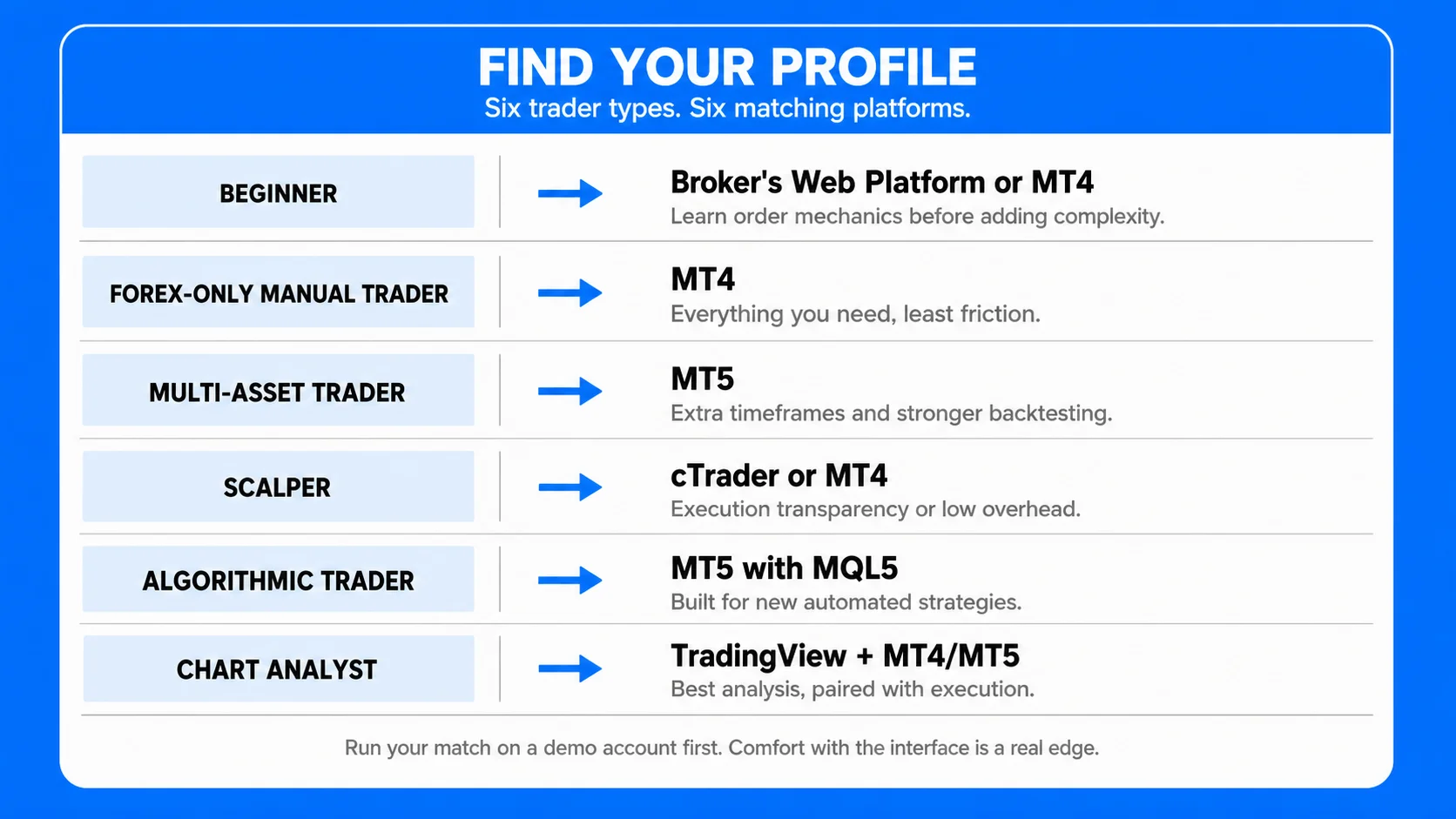
Match the platform to your trader profile:
- Beginner: start on a broker’s web platform or MT4 via a demo account. Learn order mechanics before adding complexity.
- Forex-only manual trader: MT4 covers everything you need with the least friction.
- Multi-asset or data-driven trader: MT5, for the extra timeframes, depth of market, and stronger backtesting.
- Scalper or ECN trader: cTrader where available, otherwise MT4 for its low overhead.
- Algorithmic trader: MT5 with MQL5 for new builds; MT4 only if your existing EA library is MQL4.
- Chart analyst: TradingView for analysis paired with MT4/MT5 for execution.
If you need a swap-free (Islamic) account, that narrows the field before anything else does: MT4 and MT5 are the platforms regional brokers support swap-free most consistently, so confirm which instruments are covered before you commit.
Whatever the choice, run it on a demo account first. Platform comfort is a real edge: hesitation caused by an unfamiliar interface shows up directly in your fills.
Trading Platforms at UEXO
UEXO offers both MetaQuotes platforms on every account tier, so the platform choice is yours at account creation, and you can run both at once by opening separate accounts inside the same client profile. All trading platforms are included with Standard, Pro, and ECN accounts alongside the copy trading service.
The MT4 platform is the compatibility choice: lighter and faster, especially on older devices, with a massive library of custom indicators and Expert Advisors, which makes it the safer option for automated strategies and third-party tools. The MT5 platform is the feature choice: more timeframes, additional order types including depth of market, and native support for the stock, index, and commodity CFDs offered alongside forex pairs. Both are available as desktop applications, browser terminals, and iOS/Android apps, so positions opened on one device can be managed from any other.
A typical path: most new traders start on MT4, then move to MT5 when they want the extra features. Both platforms run on demo and live accounts with the same spreads and conditions.
What is the best forex trading platform?
There is no single best. MT4 leads for simplicity and EA compatibility, MT5 for multi-asset trading and backtesting, cTrader for execution transparency, TradingView for charting. The best platform is the one that fits your strategy and that your broker supports well.
Is MT4 or MT5 better for beginners?
MT4 is simpler and lighter, which suits a first platform. MT5 has more features you will grow into. Since both are free, testing each on a demo account costs nothing but time.
Are forex trading platforms free?
MT4, MT5, and cTrader are free when accessed through a broker. Your trading costs come from the broker’s spreads and commissions, not the software. TradingView has a free tier with paid plans for more indicators and alerts.
Can I use the same platform with a different broker?
Yes, for MT4, MT5, and cTrader: your templates, indicators, and EAs move with you, though you need new login credentials from the new broker. Proprietary platforms do not transfer.
Do MT4 Expert Advisors work on MT5?
No. MQL4 code must be rewritten or converted to MQL5. This is the main switching cost between the two platforms.
Can I trade forex on my phone?
Yes. MT4 and MT5 both have iOS and Android apps supporting live quotes, charts, and full order management, though serious analysis and EA management still need the desktop version.
Do MT4 and MT5 support swap-free (Islamic) accounts?
The platforms themselves have no swap-free switch: swap-free status is applied by the broker at the account level, and both MT4 and MT5 support it. Because the implementation is the broker’s, terms differ; ask which instruments are included, whether an administration fee replaces the swap, and how long a position can be held before charges apply.
Are MT4 and MT5 available in Arabic?
Yes. Both offer Arabic-language interfaces on desktop, web, and mobile, and the language can be changed from the platform settings without reinstalling. Support and account documentation are the broker’s responsibility, so confirm those separately.
Is forex trading regulated in the UAE and the wider region?
Yes, and by more than one authority. In the UAE, onshore brokers are supervised by the SCA, while firms in the DIFC and ADGM fall under the DFSA and FSRA respectively; Saudi Arabia’s market is overseen by the CMA. Many MENA traders also use internationally regulated brokers. Whichever route you take, verify the licence number directly with the regulator.
Why can I not trade AED or SAR pairs?
Both currencies are pegged to the US dollar, so they offer almost no intraday movement and very little liquidity in the retail market. Regional traders generally focus on the major dollar, euro, and yen pairs, plus gold, which remains the most heavily traded instrument across the Gulf.
Does platform server time matter if I trade from the Gulf?
Yes. Most servers run on GMT+2 or GMT+3, so daily candles, session opens, and swap charge times will not line up with local GST. Check your server offset once and adjust any time-based strategy or alert accordingly.
What platform does UEXO use?
UEXO supports MetaTrader 4 and MetaTrader 5 on desktop, web, and mobile across all account types, plus a built-in copy trading service. You pick the platform when creating each account and can run both under one profile.