

Trade automatically using Expert Advisors that follow your strategy around the clock, removing emotion and enhancing consistency.
Trade global markets on one of the world’s most trusted platforms with competitive pricing and flexible trading conditions.


MetaTrader 4 is a powerful trading platform
widely used by traders worldwide.
It offers advanced charting, technical
indicators, and automated trading capabilities,
making it suitable for both beginners and
experienced traders.
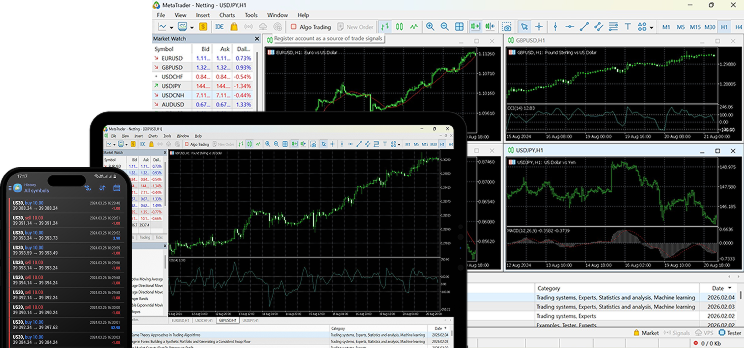
Execute trades instantly with a single click, allowing you to react quickly to market movements without missing opportunities.
Trade automatically using Expert Advisors that follow your strategy around the clock, removing emotion and enhancing consistency.
Powerful charting tools with a wide range of technical indicators help traders spot trends, analyze markets and make confident decisions.
Full support for market and pending orders with built-in risk management tools.
Personalize your trading experience with custom indicators and scripts designed to match your unique trading style and strategy no matter your trading strategy.
Access a wide range of CFDs from a single MT4 account.
Access the world’s most traded financial markets from a single, unified trading
environment. From global currencies and major indices to digital assets and
commodities, trade with clarity, precision, and full market coverage — all designed
to move at your speed.
You can download MetaTrader 4 once your onboarding process is complete. After downloading, open the installation file and follow the on-screen instructions to set up the platform on your desktop or mobile device.
Yes. We offer a MetaTrader 4 demo account that allows you to trade in live market conditions using virtual funds before switching to a real trading account.
After installing MetaTrader 4, select “Login to Trade Account,” enter your account credentials, and choose the appropriate server provided during registration to connect securely.
To place a trade, select your preferred instrument, click “New Order,” choose your trade size, and execute a Buy or Sell order directly from the trading panel.
Stop-loss and take-profit levels can be set when opening a new order or modified afterward in the trade terminal. These tools help manage risk by automatically closing positions at predefined price levels.


Expert insights, real-time market
updates, and practical education
for smarter forex decisions.


